
Baldwin VINELink Local Access
Baldwin County has a local official entry point. The Baldwin Sheriff VINELink page describes VINE as a notification network for offender and criminal-case information in U.S. jails and prisons. It directs users to VINELink to register for custody-status notifications. That local page is valuable because it connects the national service to the Sheriff's own custody-information resources.
The actual search runs through Georgia VINE or the national VINELink entry. Participation and field detail depend on the agency feed. A Baldwin County Jail result may provide custody wording, but the accessible Sheriff pages do not publish a separate public jail roster. For a state prisoner, GDC remains the authoritative corrections record.
The official local page shown below establishes the Baldwin-specific route into VINE.
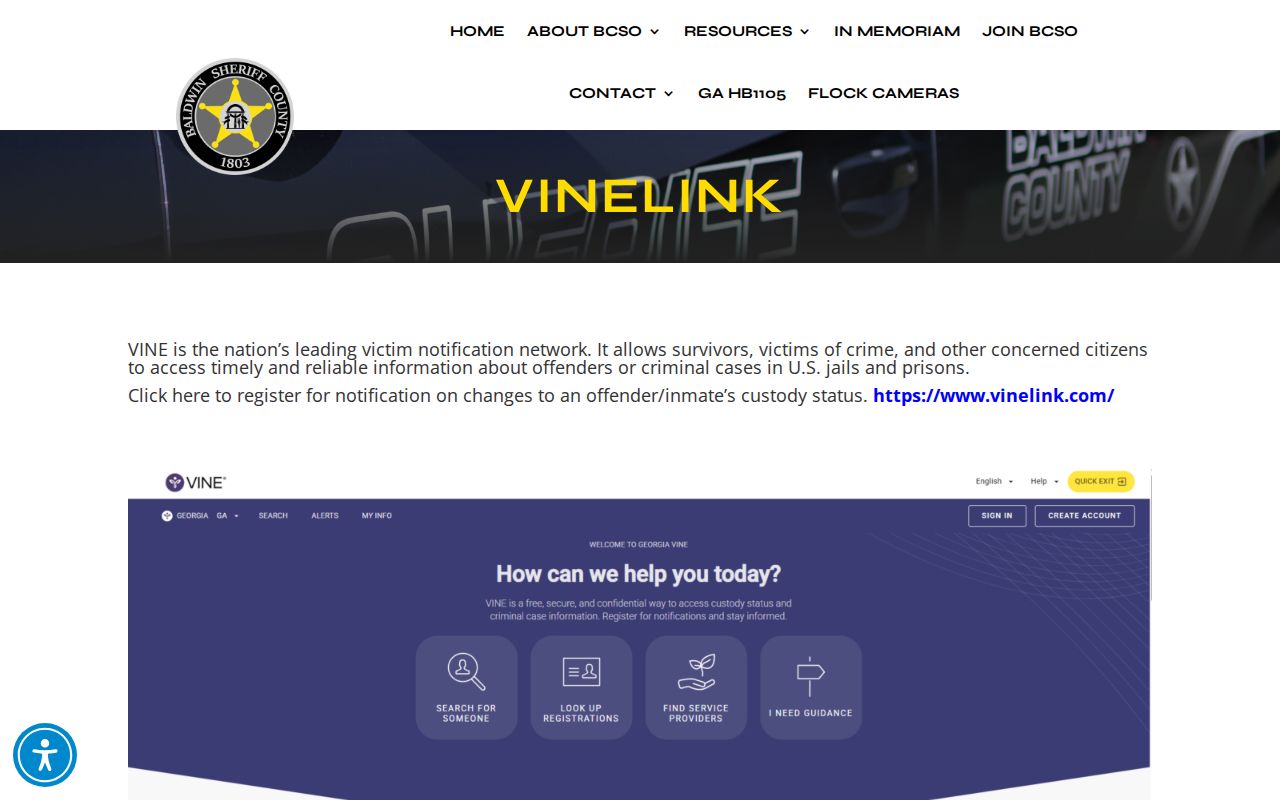
The local link supports notification access. It does not promise that every Baldwin custody event or record field will appear.
Search a Baldwin VINELink Record
Search for one specific person, then compare the result with known identity and agency details. Names can repeat. A match based on name alone is not enough when age, agency, or an offender number points elsewhere.
- Open the Baldwin Sheriff VINELink page or Georgia VINE.
- Select Georgia if the national VINELink site opens first.
- Choose the offender or person search option.
- Enter the name or an offered offender or booking identifier.
- Compare possible matches by name, age or date cues, agency, and status.
- Open the best match and record the exact status, agency, and displayed time.
- If the result says released, out of custody, or similar, confirm the reason and date with the responsible agency.
VINELink is designed for a person-specific check, not a browseable list of everyone released today. For the broader record path, including court and written jail records, use the Baldwin County released-inmate search.
Baldwin VINELink Release Fields
Live wording varies by feed. A result may say released, out of custody, not in custody, or use agency-specific text. Read what the record actually says rather than translating every noncustody result into the same legal event.
| Result detail | How to read it |
|---|---|
| Name or identifier | Helps distinguish the intended person from similar matches. |
| Custody status | Shows the feed's current in-custody or released wording. |
| Agency or facility | Identifies the authority supplying the status. |
| Status date or time | Shows when a listed change was recorded, if displayed. |
| Notification option | Allows registration for later custody changes when offered. |
VINELink may not show the bond amount, full charge history, court disposition, or exact release reason. A status message is therefore one part of the proof. A county release reason belongs in Baldwin booking or open-records material. A state-prison release belongs in GDC and parole records.
Register Baldwin Release Alerts
After opening the correct record, look for Notify Me or equivalent wording. Available contact methods can include phone, email, text, an app, or another option shown by the live system. Only register against a carefully matched person.
- Open the matching offender record.
- Select the custody-status notification option.
- Choose an available phone, email, text, app, or other method.
- Enter the contact information requested on screen.
- If phone registration asks for a PIN, create or confirm it for acknowledging calls.
- Complete the system's confirmation instructions.
- Save the confirmation or note the registration date and time.
The PIN step should be described only when the live registration flow displays it. Do not assume that every method uses the same confirmation. Contact details and notification preferences can be managed through the VINELink login and registration entry.
The manifest capture below shows the official account entry used to manage notifications.
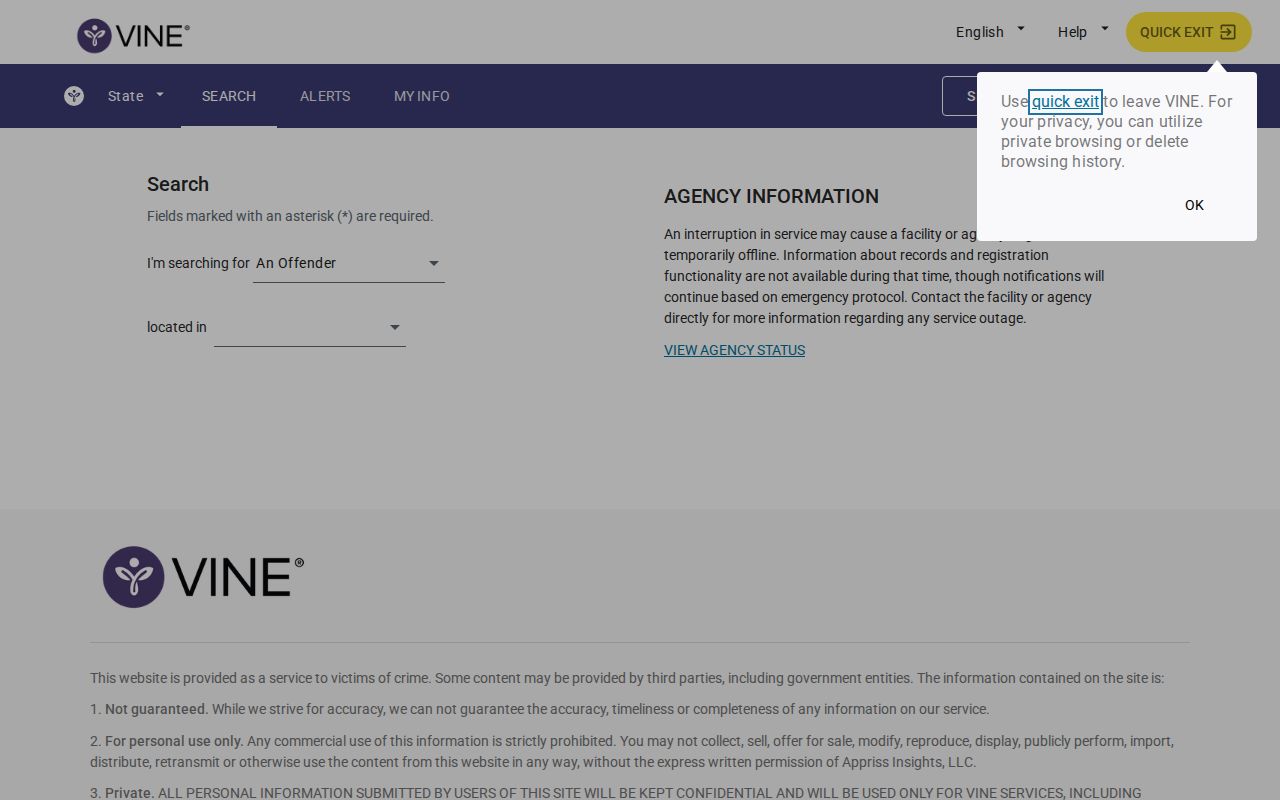
A saved registration confirms the alert setup, not the person's eventual release reason or legal status.
Verify Baldwin VINELink Releases
When VINELink changes to released or out of custody, identify which agency supplied the record. For Baldwin County Jail, call booking at 478-445-2663 and use the Sheriff open-records process for written proof. Check the court docket when bond, dismissal, sentence, or disposition may explain the event.
For Baldwin State Prison or Riverbend Correctional Facility, use the GDC offender search and, when applicable, Georgia parole and DCS sources. State-prison discharge is not a county-jail release. GDC records may show a release or maximum release date, sentence status, most recent institution, and conviction data. GDC also says its public data is not updated in real time.
A transfer deserves special care. VINELink may report an end to one agency's custody while another agency takes control. Ask whether the person returned to the community, entered GDC, moved to another jail, or entered a federal or immigration track.
Baldwin Custody System Differences
Baldwin geography includes more than one type of custody. Matching the result to the correct system keeps a VINELink search from producing a false conclusion.
| Custody track | Primary confirmation | VINELink role |
|---|---|---|
| Baldwin County Jail | Booking, open records, and court docket | Participating custody status and alerts |
| Baldwin State Prison | GDC offender record, parole, and DCS | Possible notification layer, subject to feed |
| Riverbend Correctional Facility | GDC, parole, and DCS | Possible state custody notification |
| Federal sentenced custody | BOP inmate locator | Not a substitute for BOP |
| Immigration custody | ICE locator and responsible agency | Not the primary ICE locator |
No federal prison or ICE detention center was identified in Baldwin County by the researched sources. A federal or immigration release may still matter when a person was temporarily held locally, but the final verification belongs to the federal authority.
Baldwin VINELink Search Limits
VINELink does not provide a full BOP inmate history, a complete court docket, or every jail-management field. It can lag behind an agency action. Some feeds may omit a person, and status wording can differ. A missing result does not prove the person was never booked or has been released.
- Custody status
- The feed's statement about whether the person is held by the reporting agency.
- Release record
- The agency record that documents when and how custody ended.
- Discharge
- The end of a state corrections sentence or status, which differs from a local bond release.
- Transfer
- Movement from one authority to another without return to the community.
For exact dates and reasons, request the originating record. For supervision after a prison release, use parole and DCS channels. For a pending local case, use Baldwin court records. Each step answers a narrower question than VINELink alone.
Note: Save the exact VINELink wording and time, then compare it with the agency record instead of relying on memory or a later changed screen.
Open Georgia VINELink Safely
Starting at the national service requires one extra check: select Georgia before searching. The official national entry screenshot below shows the service used to reach the state selection and offender search.
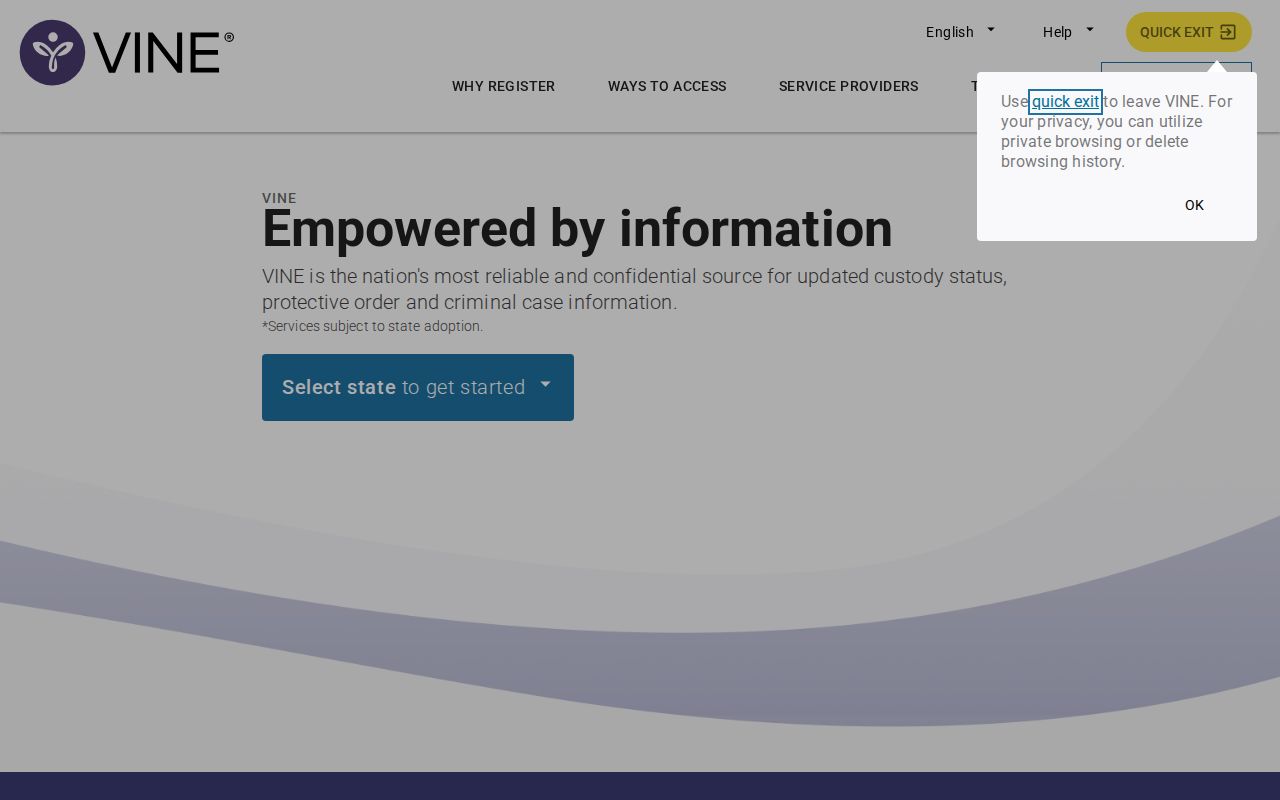
After choosing Georgia, confirm that the result names the expected agency. A record from another state or another Baldwin County does not establish custody in Milledgeville.
Alerts are useful when a future change matters, while agency records are needed to explain a past change. Keep the two tasks distinct. Register through the official VINELink flow, and use Baldwin booking, GDC, the court, BOP, or ICE for the final confirmation tied to that custody system.
Respond to Baldwin VINE Alerts
VINE means Victim Information and Notification Everyday. It reports information received from participating agencies and sends alerts based on that information. The service does not decide release, calculate a sentence, set bond, or supervise a person after release. Those actions belong to the jail, court, GDC, parole board, or DCS.
When an alert arrives, save the exact wording and time. Then open the live official record rather than relying on a forwarded message or an old screenshot. Confirm that Georgia and the expected Baldwin agency appear. A same-name record from another state or another Baldwin County is not a local match.
Choose a contact method that can be monitored and keep the registration confirmation. A phone alert may require the PIN selected during the live flow. If the phone number or email changes, return to the official VINELink account and update it. Do not assume an alert remains active after contact details change.
A missing search result may stem from an alias, middle name, identifier difference, agency mismatch, or feed gap. Try the legal name and any known official ID. If no local result appears, call Baldwin booking. Use GDC for a state offender and the BOP or ICE locator for the federal custody track.
After a released alert, ask the originating agency for the release reason and date. A VINE change may mark the end of one agency's custody while another agency receives the person. Court records can explain bond or disposition, while GDC and DCS can explain state release and supervision.
VINE alerts and release records serve different needs. Alerts provide notice of a reported change. Agency records preserve the event and its basis. Using both keeps Baldwin County identity, custody authority, and timing tied together.
Public Record Search
Sponsored Results